Easter Memory
- Genre: Puzzle — Memory
- Objective: Easter Memory brings the classic concentration card-matching game into the spring holiday season, featuring cheerful Easter-themed imagery: …
- Play Style: Strategic thinking and problem-solving
- Difficulty: Hard
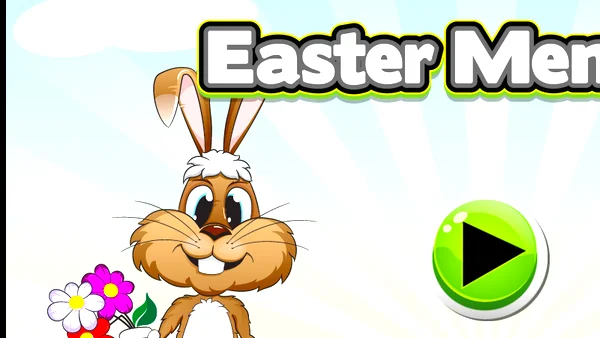
Easter Memory brings the classic concentration card-matching game into the spring holiday season, featuring cheerful Easter-themed imagery: decorated eggs, fluffy chicks, bouncing bunnies, tulips, chocolate treats, and Easter baskets. The familiar memory mechanics are wrapped in colorful seasonal presentation that makes the game particularly appropriate for family play during the Easter period.
The Easter visual theme offers natural learning benefits beyond the memory challenge itself: younger children learning to identify Easter symbols, seasonal animals, and springtime imagery benefit from the visual repetition that the card-matching format provides. Each reveal-and-memorize cycle reinforces the visual identity of each icon.
Multiple grid sizes accommodate different age groups and difficulty preferences. A 4×4 grid (8 pairs) provides a quick, accessible challenge for young children; 6×6 grids (18 pairs) deliver a substantial memory exercise for adults or older children comfortable with sustained concentration.
Key Features:
- Progressive wave-based difficulty
- Classic retro-inspired design
- Instant browser play — no download needed
- Free to play on desktop and mobile
Getting Started:
Easter Memory follows the standard concentration card-matching format:
- Choose Difficulty — Select a grid size appropriate to the player's age and concentration level. Smaller grids are appropriate for young children; larger grids challenge adults.
- All Cards Face-Down — The board shows all Easter-themed cards face-down, shuffled randomly. No cards are visible at the start.
- First Card Flip — Click or tap any face-down card to reveal it. Study the Easter image and remember its position on the grid.
- Second Card Flip — Click a second face-down card. If the images match, both cards remain face-up permanently. If not, both cards flip back face-down after a brief reveal pause.
- Apply Memory — Use your memory of previously revealed (but unmatched) cards to make strategic choices. If you see an Easter egg and recall seeing the matching egg earlier, navigate directly to it.
- Build Your Memory Map — Through systematic exploring of the board, build a mental map of card positions. The more you remember, the fewer mismatches you make.
- Complete the Board — Find all matching pairs to finish. Your score is based on total moves taken (fewer = better) and time elapsed.
- For Young Players: Start with only 4 pairs (2×4 grid) and gradually increase as confidence and memory capacity grows.
Desktop Controls:
- Left-click a face-down card — flips it to reveal the Easter image
- Wait for the automatic flip-back after a mismatch before clicking again
- Click "New Game" — shuffles all cards and starts fresh
- Click grid size selector — choose board size before starting
Mobile Controls:
- Tap a face-down card — reveals it
- Tap the second card — attempts the match
- Works well on tablets and phones; tablet is recommended for younger children due to larger tap targets
Pro Tip: Visual Grid Navigation: - For mental position tracking, think in row/column terms: "Row 2, Column 3 had the chick.
Tips for Beginners:
- Easter Memory rewards systematic exploration and active verbalization of card positions.
- Systematic First Pass: - Rather than clicking randomly, explore the board in a systematic pattern (row by row, column by column) during your opening turns.
Advanced Strategies:
- Only flip a second card when you are reasonably confident it matches the first. Guessing when uncertain wastes moves and adds information to manage without gaining a match.
- If you remember where the match is, navigate directly to it without revealing any intermediate cards.
High-Score Tip: Large Grid Management: - On 6×6 grids, divide the board mentally into quadrants.
Why Play Easter Memory on Fantasy Game?
More Puzzle Games
2048

Block Falling Puzzle
Hextris

Candy Match 3

Jelly Break

Astray

Professor Bubble