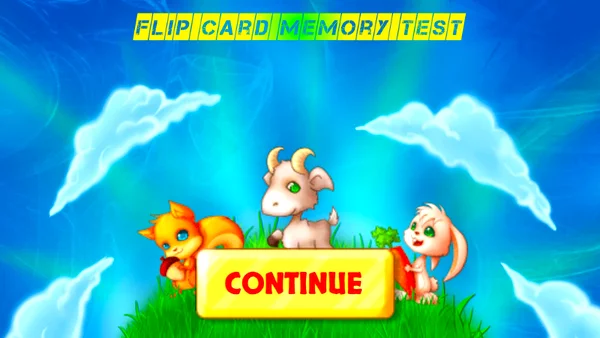
Flip Card Memory
- Genre: Puzzle — Memory
- Objective: Flip Card Memory is a classic card-matching concentration game translated into a polished browser experience.
- Play Style: Strategic thinking and problem-solving
- Difficulty: Hard
Flip Card Memory is a classic card-matching concentration game translated into a polished browser experience. The playing field presents a grid of face-down cards. Each card has a hidden partner somewhere on the board with a matching image.
The game exercises both short-term working memory and spatial recall simultaneously — you must remember not just what an image was, but where on the grid it appeared. This dual-memory requirement is what makes concentration games genuinely valuable as cognitive exercises, not just entertainment.
Flip Card Memory typically offers multiple grid sizes — smaller grids (4×4) for shorter sessions and beginners, larger grids (6×6, 6×8) for extended challenges that tax memory more seriously. The card imagery varies by theme: classic playing card symbols, animals, food, mythology, and seasonal themes give the same core mechanic repeated freshness.
Key Features:
- Classic retro-inspired design
- Instant browser play — no download needed
- Free to play on desktop and mobile
Getting Started:
Flip Card Memory is simple to learn and immediately engaging:
- Study the Board — Before any cards are revealed, take note of the grid size and the total number of pairs you need to find. Larger grids mean more cards to track simultaneously.
- Flip Your First Card — Click or tap any face-down card to reveal it. The card flips over, revealing its image. Remember both what you saw and where it was located.
- Flip Your Second Card — Without flipping the first card back, choose and reveal a second card. You are looking for the card that matches the first one.
- Match or Miss:
- Apply Memory — On subsequent turns, use your memory of previously revealed (but unmatched) cards to make informed choices. If you saw a card that matches your current first flip, go directly to it.
- Complete the Board — Find all pairs to complete the puzzle. Your final score is based on moves used, time taken, or a combination of both.
- Memory Technique: Mentally assign grid coordinates ("row 2, column 4 had the lion") rather than trying to visualize the full board at once.
Desktop Controls:
- Left-click a face-down card — flips the card to reveal its image
- Left-click a second face-down card — reveals the second card for comparison
- Wait for the automatic flip-back before clicking again (after a mismatch)
- Click "New Game" / "Restart" — shuffles all cards and resets the board
- Click grid size selector — choose board dimensions before starting
Mobile Controls:
- Tap a face-down card — reveals it
- Tap the second card — completes the pair attempt
- Tap "New Game" — resets the session
- Works well in both portrait and landscape orientation; landscape is preferred for wider grid layouts
Pro Tip: - After a mismatch, the game typically pauses briefly before flipping cards back.
Tips for Beginners:
- Flip Card Memory performance improves dramatically with structured memorization techniques.
- Active Memorization Strategy: - Do not just look at revealed cards passively.
Advanced Strategies:
- Do not just look at revealed cards passively. Actively say the card's image and location to yourself: "Crown — top left corner" or "Dog — middle row, third from right." Verbal encoding dramatically strengthens short-term memory retention.
- Group cards by visual category in your mind: "All the animals are on the right side so far; the objects are on the left."
High-Score Tip: Handling Larger Grids: - On large grids, focus your memory efforts on the most recently revealed cards first — recency bias means you forget older cards faster.
Why Play Flip Card Memory on Fantasy Game?
More Puzzle Games
2048

Block Falling Puzzle
Hextris
Candy Match 3

Jelly Break

Astray

Professor Bubble