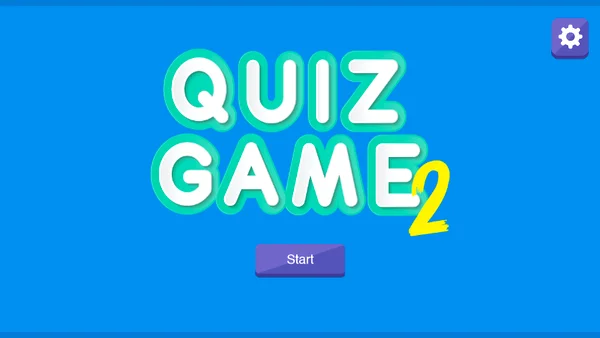
Quiz Game
- Genre: Puzzle — Trivia
- Objective: Quiz Game is a browser-based trivia challenge that tests your general knowledge across multiple categories including science, history, geogr…
- Play Style: Strategic thinking and problem-solving
- Difficulty: Hard
Quiz Game is a browser-based trivia challenge that tests your general knowledge across multiple categories including science, history, geography, entertainment, and sports. The game presents multiple-choice questions with a time limit per question, rewarding both accuracy and speed in its scoring system.
Trivia games occupy a unique space in the gaming landscape — they combine the competitive satisfaction of a high score chase with genuine intellectual engagement. Every question either tests existing knowledge or teaches something new.
Quiz Game typically structures sessions in rounds of 10–20 questions, with increasing difficulty as the game progresses. Early questions cover broadly known facts; later questions venture into specialized knowledge that separates casual from encyclopedic players. The mix of easy and difficult questions ensures no session feels completely inaccessible or frustratingly hard throughout.
Key Features:
- Progressive wave-based difficulty
- High-score tracking
- Instant browser play — no download needed
- Free to play on desktop and mobile
Getting Started:
Quiz Game's format is immediately intuitive:
- Select a Category (if available) — Some versions offer category selection (science, history, pop culture, etc.). Choose an area you want to focus on or select "All Categories" for maximum variety.
- Select Difficulty (if available) — Easy, Medium, or Hard difficulty levels adjust question complexity. Start on Medium if uncertain.
- Read the Question Carefully — Each question displays at the top of the screen. Read it completely before evaluating answers — misreading the question is one of the most common mistakes.
- Evaluate the Options — Four answer choices are displayed. Eliminate clearly wrong answers first, then choose between remaining candidates.
- Answer Before the Timer Expires — The timer bar decreases in real-time. Some scoring systems reward faster answers with more points — prioritize answering quickly when you are confident, more carefully when uncertain.
- See Your Result — Correct answers are highlighted green; incorrect selections and the correct answer (if you missed) are shown clearly. Use missed answers as learning moments.
- Finish the Round — After the final question, your total score, accuracy percentage, and time statistics are displayed. Compare to previous sessions to track improvement.
- Scoring Variations: - Fixed points per correct answer (10 or 100 per question) - Time-bonus scoring: faster correct answers earn more - Streak bonuses: consecutive correct answers multiply your score
Desktop Controls:
- Left-click an answer option — submits your selected answer
- Click "Next Question" — advances after viewing the result
- Click category/difficulty buttons — configures session before starting
Mobile Controls:
- Tap an answer — submits selection immediately
- Tap "Next" — advances the question flow
- Large tap targets make mobile play comfortable without precision concerns
Pro Tip: Reading Efficiency: - On fast-timer questions, read the question once thoroughly, then immediately eliminate obviously wrong answers before reading each option carefully.
Tips for Beginners:
- Quiz performance improves through both knowledge acquisition and test-taking strategy.
- Active Elimination: - Eliminate answers you know are wrong before committing to a choice.
Advanced Strategies:
- Confidence Calibration: - Resist changing your first instinct unless you have a concrete reason.
- Time Management: - Use the full time on difficult questions — rushing an uncertain answer is worse than taking 8 of 10 seconds.
Mistakes to Avoid
- Treat wrong answers as educational moments. The psychological sting of a wrong answer makes the correct answer more memorable for the next time the topic appears.
- After a session, recall which categories had the most misses — targeted knowledge-building in weak categories improves overall scores faster than reviewing strong areas.
High-Score Tip: Common Mistake Patterns: - Overthinking familiar questions — your first-pass knowledge is usually correct - Running out of time because of excessive deliberation on one question — move faster on easier questions to protect time for harder ones - Misreading negative questions ("Which of the following is NOT...
Why Play Quiz Game on Fantasy Game?
More Puzzle Games
2048

Block Falling Puzzle
Hextris

Candy Match 3

Jelly Break

Astray

Professor Bubble