Traffic
- Genre: Racing
- Objective: Traffic is a city driving and traffic management game that places you behind the wheel of a vehicle navigating through increasingly congeste…
- Play Style: Speed management and precision steering
- Difficulty: Medium
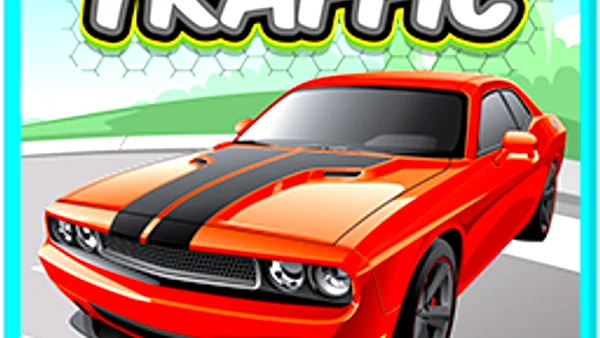
Traffic is a city driving and traffic management game that places you behind the wheel of a vehicle navigating through increasingly congested urban environments — or alternatively, in the role of a traffic manager directing vehicles through intersections to prevent gridlock and collisions.
In the driving version, you navigate a vehicle through busy city streets, observing traffic laws, timing intersections, and safely managing your speed relative to surrounding vehicles. The challenge comes from the density and unpredictability of surrounding traffic — gaps open and close quickly, and spatial judgment determines whether safe lane changes are possible.
In the traffic management version, you control traffic signals and direct vehicles through junctions by managing signal timing. The challenge is preventing simultaneous opposing-direction vehicles from entering intersections — the classic condition for gridlock and collision. Managing multiple intersections simultaneously while traffic volume escalates is the core cognitive challenge.
Key Features:
- Progressive wave-based difficulty
- Classic retro-inspired design
- Instant browser play — no download needed
- Free to play on desktop and mobile
Getting Started:
Traffic gameplay varies by game version — here are both common formats:
- Start Your Vehicle — Accelerate into traffic from your starting position
- Navigate Lanes — Change lanes smoothly using steering inputs, checking for gaps in surrounding traffic
- Observe Traffic Laws — Stop at red lights, yield at intersections, follow traffic flow directions
- Reach Your Destination — A waypoint or route is typically displayed; follow it while navigating safely
- Avoid Collisions — Contact with other vehicles damages your car or ends the level
- Monitor All Intersections — Multiple junctions are visible simultaneously
- Control Traffic Signals — Click/tap a junction to change its signal state (green/red for each approach)
- Traffic gameplay varies by game version — here are both common formats:
- Driving Version: 1.
- Traffic Management Version: 1.
Desktop Controls:
- Up Arrow / W — Accelerate
- Down Arrow / S — Brake / Reverse
- Left Arrow / A — Steer left
- Right Arrow / D — Steer right
- Spacebar — Handbrake
Mobile Controls:
- Touch left/right of screen — steer
- Accelerator and brake buttons — speed control
- Tilt control — device tilt steering in some versions
Pro Tip: Observation Controls: - Pan the management view by clicking and dragging the map to see distant intersections - Zoom in on problem intersections using scroll wheel or pinch gesture
Tips for Beginners:
- Traffic rewards patience, timing, and spatial awareness over aggressive driving or rapid clicking.
- Driving Version: - Maintain 2–3 car lengths of following distance at all times — tailgating removes your reaction time for sudden stops - Signal your intention before lane changes by positioning to the edge of the lane first, not immediately across - Busy intersections: approach at lower speed and verify cross traffic has stopped before proceeding - Overtaking: only pass vehicles when the gap ahead is at least 3 car lengths and the destination lane is clear for 4+ car lengths
Advanced Strategies:
- Management Version: - Establish longer green light phases for the approach direction with the most vehicle density - Never allow two opposing green phases simultaneously — this is the primary collision condition - Identify bottleneck intersections (those with the most queuing) and prioritize managing their timing above quieter junctions - Prevent intersection-blocking: only let vehicles into a junction when they have a clear path all the way through - During rush hour peaks, reduce individual green phase duration but increase frequency to prevent any single approach from queuing too far back
High-Score Tip: Management Version: - Establish longer green light phases for the approach direction with the most vehicle density - Never allow two opposing green phases simultaneously — this is the primary collision condition - Identify bottleneck intersections (those with the most queuing) and prioritize managing their timing above quieter junctions - Prevent intersection-blocking: only let vehicles into a junction when they have a clear path all the way through - During rush hour peaks, reduce individual green phase duration but increase frequency to prevent any single approach from queuing too far back
Why Play Traffic on Fantasy Game?
More Racing Games
HexGL
Speed Racer

Javascript Racer

Crazy Parking

Jacks or Better

Slot Machine

Lucky Slots